
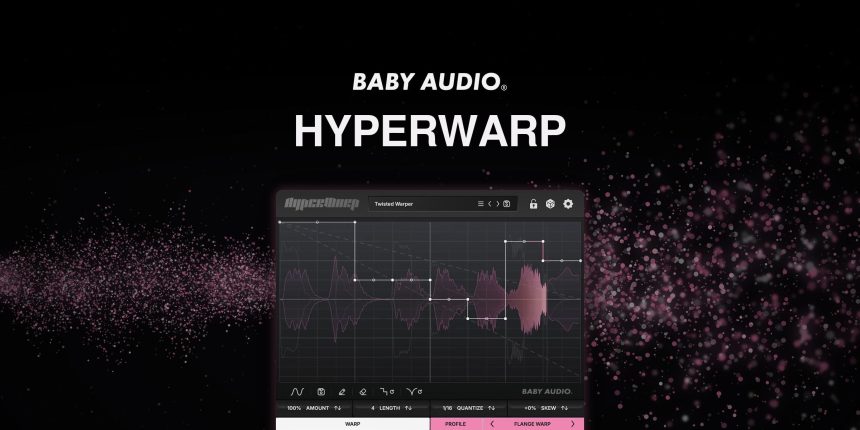
HyperWarp is a new plugin designed to enhance audio samples by combining granular and time-warping processing in a user-friendly interface. By allowing users to draw shapes and patterns that alter the timing and texture of audio, it brings unique possibilities to sound design.
Key Features
Graph-based time manipulation: Users can draw stutters, speed changes, and rhythmic patterns to modify audio.
Seven effect profiles: The plugin includes modes for clean time-warping, extreme filtering, and pitch-shifting.
Granular controls: Users can adjust parameters like pitch, grain resolution, scatter, and feedback.
Quick experimentation: HyperWarp offers randomization of graph shapes and parameters while allowing users to lock in desired settings.
190+ presets: A diverse range of pre-designed starting points for various sound manipulations.
The HyperWarp Workflow
Upon opening HyperWarp, users are greeted by a graph interface representing audio over time. This allows for custom shapes to control the plugin’s effects. It can rearrange drum loops or transform melodic samples into completely new textures. While navigating its features might present a learning curve, those who master it will gain significant flexibility in sound manipulation.
The main parameters, including Resolution, Pitch, Scatter, and Feedback, enhance the user’s ability to craft intricate audio designs. Experimenting with various modes can lead to both rhythmic and atmospheric soundscapes.
Seven Ways to Warp Your Audio
HyperWarp features seven distinct processing types that alter audio in unique ways. Each type is driven by four macro controls, allowing substantial changes while maintaining rhythmic integrity.
Clean Warp: Enables straightforward rhythmic chopping and playback manipulation.
Flange Warp: Introduces pitch variations for metallic sound effects.
Degrade Warp: Applies lo-fi processing for rougher audio textures.
Filter Spam: Introduces randomised filtering for dynamic tonal shifts.
Harmo-Nicer: Adds harmonic depth and can produce counter melodies.
Fauxcoder: Similar to Harmo-Nicer but focuses on resonant filtering for a robotic sound.
Lo-Fizzly: Introduces digital degradation for gritty results.
These modes allow users to explore a wide range of sound possibilities, promoting creativity in audio design.
Presets and Randomisation
HyperWarp’s expansive preset library offers over 190 categorized presets for various sound effects. Users can experiment with Glitch, Harmonic, Rhythmic, Texture, Space, and Extreme settings to achieve diverse results.
Furthermore, the plugin features a randomization function, allowing for the creation of unique patterns and effects that can lead to unexpected but exciting outcomes. This encourages users to explore the plugin’s full potential.
Pricing and Availability
HyperWarp is available for macOS and Windows, compatible with VST, VST3, AU, and AAX formats, functioning well across major DAWs. It offers a free trial, albeit with a limitation to five seconds of audio playback every minute. The standard price is set at $99, with launch pricing available.
Pros and Cons
Pros:
Combines multiple processing techniques in a single user interface.
Diverse effects available through seven processing modes.
Quick experimentation with randomisation features.
Extensive preset library to kickstart creativity.
Competitively priced compared to similar plugins.
Cons:
Learning curve associated with mastering the graph interface.
Randomized results can sometimes be unpredictable.
Primarily suited for electronic and experimental music applications.
More electronic music news on BEATMAG TV.